Workspot
Migrate from legacy VDI to your cloud of choice.
Continue to WorkspotDownload the Workspot Clients for Windows 64 bit & 32 bit, MacOS, iOS and Android.
Use one of the following links to download the Workspot Client application onto your Windows 64 bit, Mac, iOS, or Android device.




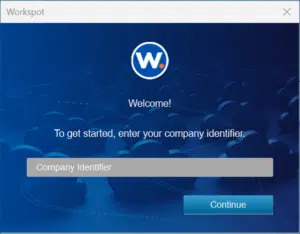
Launch the Workspot Client from your PC, Mac, iOS or Android device.
Follow the installation prompts and provide your user credentials.
Note: Please enter the company identifier provided by your company’s Workspot administrator.
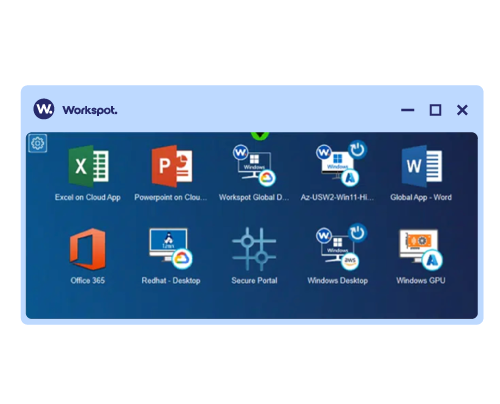
You are now in Workspot and ready to securely access all your corporate apps and desktops.
Note: If you created a lock screen passcode, you will need that to launch Workspot each time.

Have one of our expert team take you through a live demo and answer any questions you may have.
Get a Demo
There’s a better way to learn about us. Talk to our team and get the answers you need, fast.
Contact us
Share and receive the latest and greatest information on all things Workspot. Explore our events, join our Slack conversations, view our knowledge base, and more.
Our Community